
How to Set Up a Crypto Wallet for 8lends
Your seed phrase — 12 or 24 words — is the only way back into your wallet, and 8lends never sees it. Here's how to guard it from the first click.
To use 8lends, you need a Web3 wallet that supports EVM networks — MetaMask, Trust Wallet, Rabby, or another one. The wallet serves two functions: it is linked to your account on the platform and holds your funds (USDC and ETH on the Base blockchain). Installing a wallet takes 5 minutes, and adding the Base network takes another 1 minute. The main rule: write your seed phrase on paper and store it separately — this is the only way to recover access. 8lends does not request and has no access to your seed phrase.
Video Tutorial
Wallet setup is shown in the 8lends video guide:https://youtu.be/wABYaut7zVc.
The video shows the real steps for installing MetaMask, adding the Base network, and importing USDC. This text is a companion to the video for clarifying details.
What Is a Web3 Wallet
A Web3 wallet is an app or browser extension that:
- Stores the private key to your addresses on the blockchain
- Signs transactions on your behalf
- Connects to decentralized applications (dApps), including 8lends
This is not a bank account — the wallet has no intermediary owner. Only you control the private key, and only you can manage the funds. If you lose your seed phrase (12 or 24 words generated when creating the wallet), recovering access is impossible.
Which Wallets Does 8lends Support
8lends offers direct connection for MetaMask and Coinbase Wallet; other wallets connect via WalletConnect or as a detected browser wallet. Almost any EVM-compatible wallet is supported:
| Wallet | Type | Features |
|---|---|---|
| MetaMask | Browser extension + mobile app | Most popular, direct integration |
| Trust Wallet | Mobile app | Convenient for smartphones, via WalletConnect |
| Rabby Wallet | Browser extension | Advanced interface, shows transactions better |
| Coinbase Wallet | Mobile app + extension | Convenient for Coinbase users, direct integration |
| Ledger / Trezor | Hardware wallet | Maximum security via WalletConnect or MetaMask |
| Any other EVM wallet | Via WalletConnect | Standard connection protocol |
If you don't have a wallet, it is recommended to start with MetaMask (for desktop) or Trust Wallet (for smartphone). These are the most widespread options, with the most learning materials available.
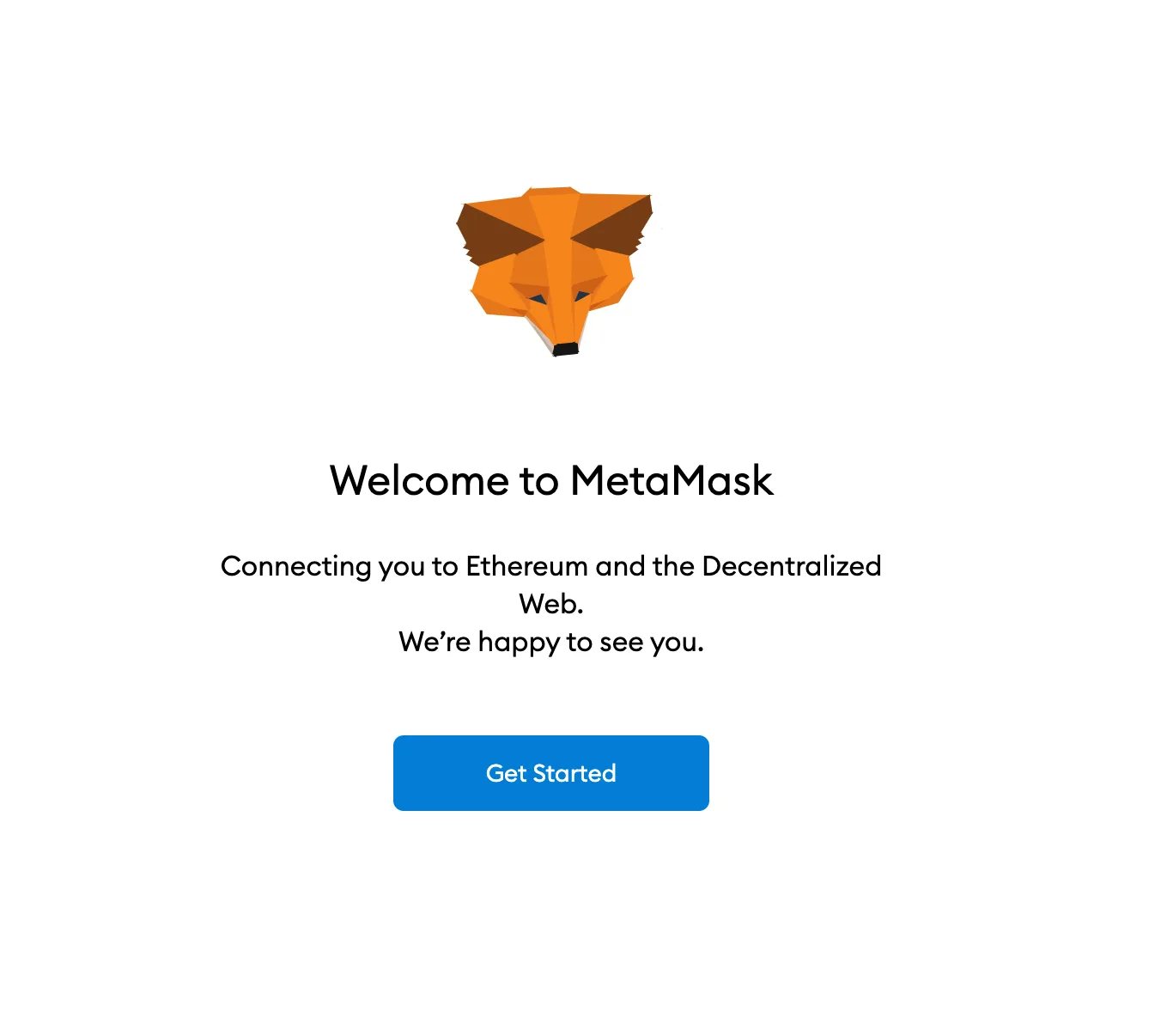
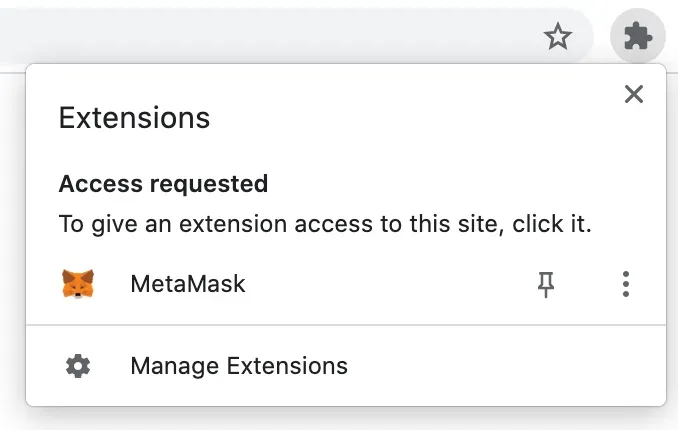
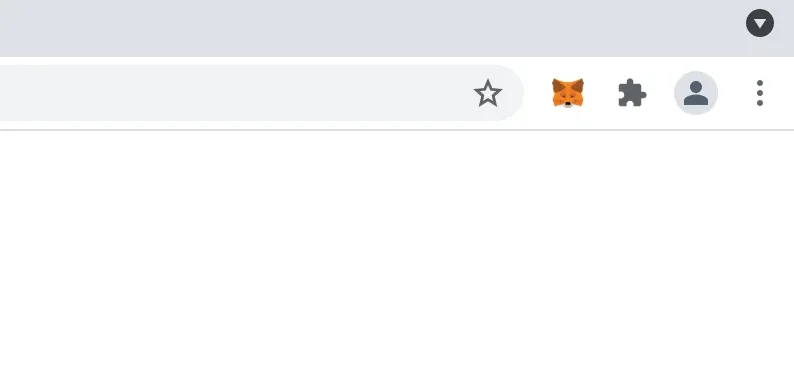
Step 1. Install MetaMask (as an Example)
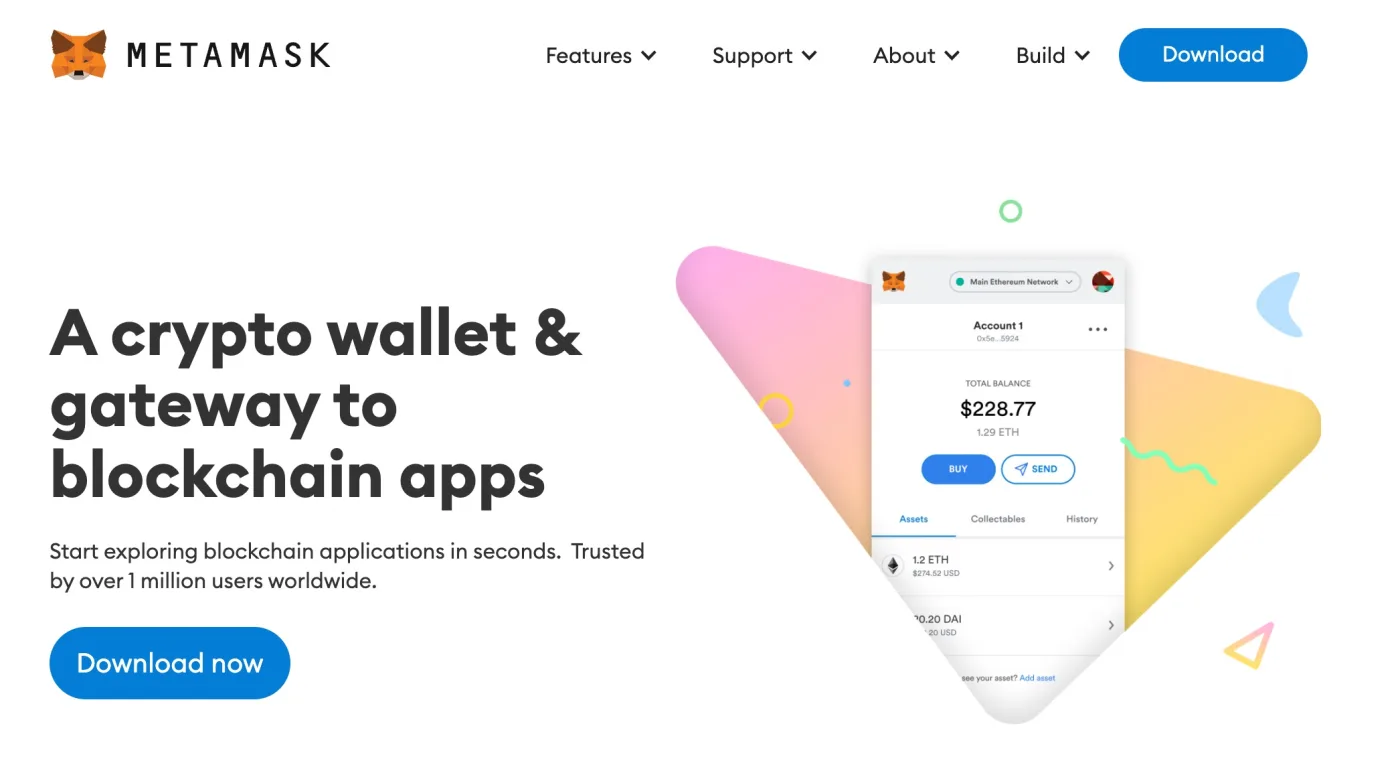
- Open metamask.io
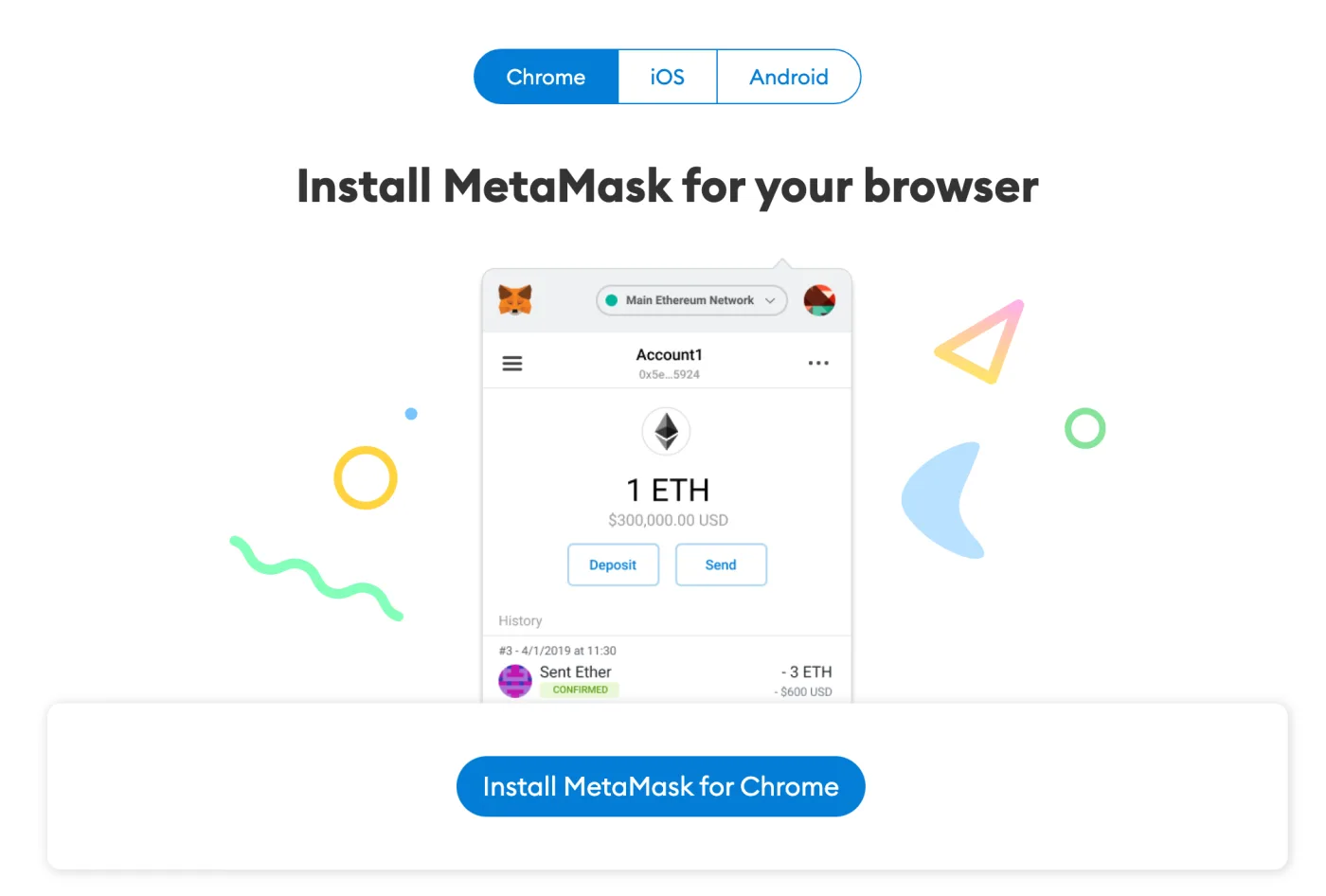
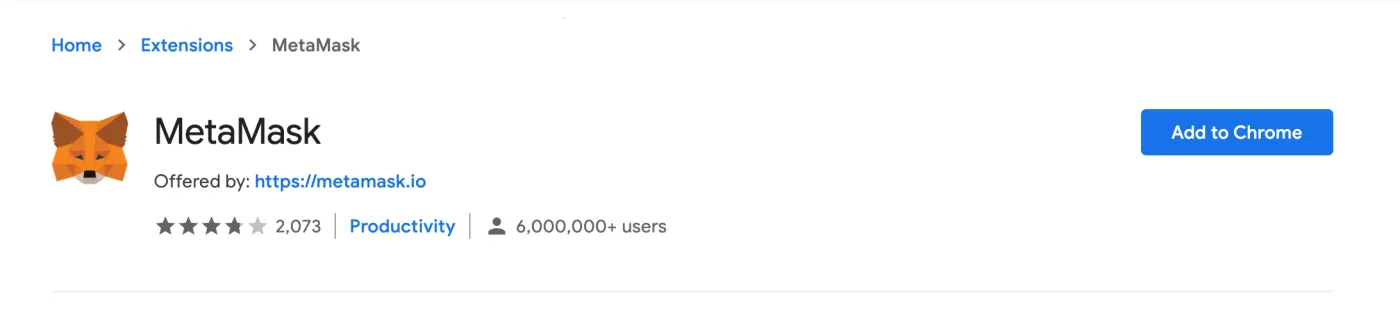
- Download the extension for Chrome / Firefox / Brave or the mobile app from the App Store / Google Play
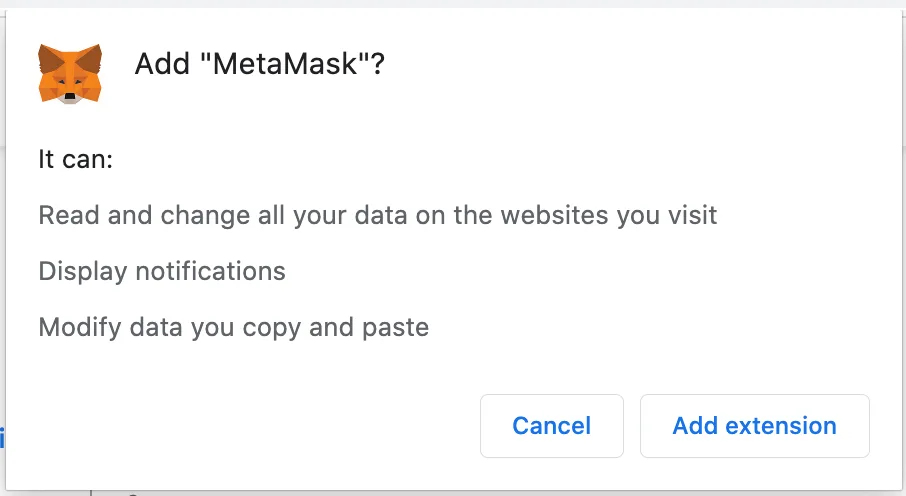
- Install and open the wallet
Step 2. Create a New Wallet
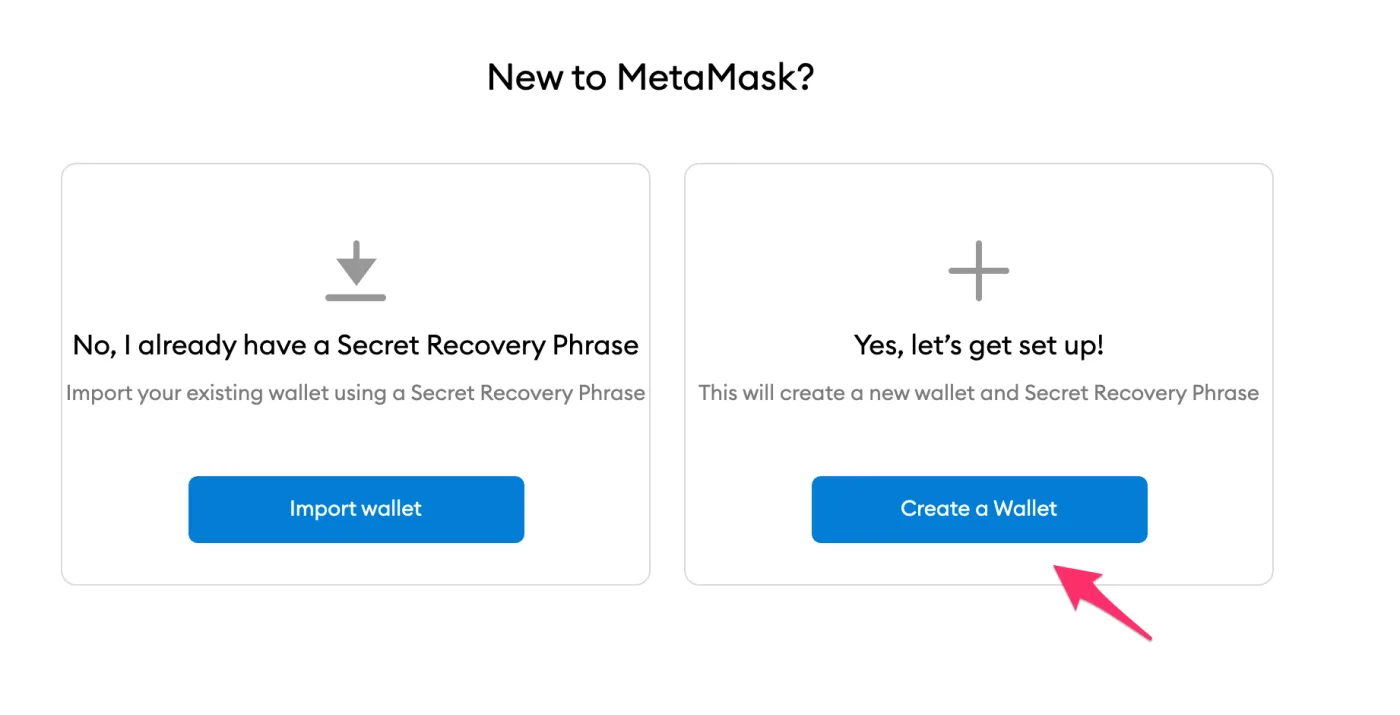
- Select Create a new wallet
- Set a password to unlock the wallet (this is a local password, not for logging in to 8lends)
- Wait for the Secret Recovery Phrase (seed phrase) screen
Step 3. Save Your Seed Phrase — Critically Important
The seed phrase is 12 or 24 words in a specific order. This is the only way to recover the wallet if the device is lost.
- Write it on paper — not in a file on your computer, not in the cloud, not in a Telegram chat
- Store it in a safe place — preferably in several places (for example, at home and in a bank safe deposit box)
- Never show it to anyone — whoever obtains the seed phrase gains full control over the funds
- Never enter the seed phrase on any websites, except in the wallet itself during recovery
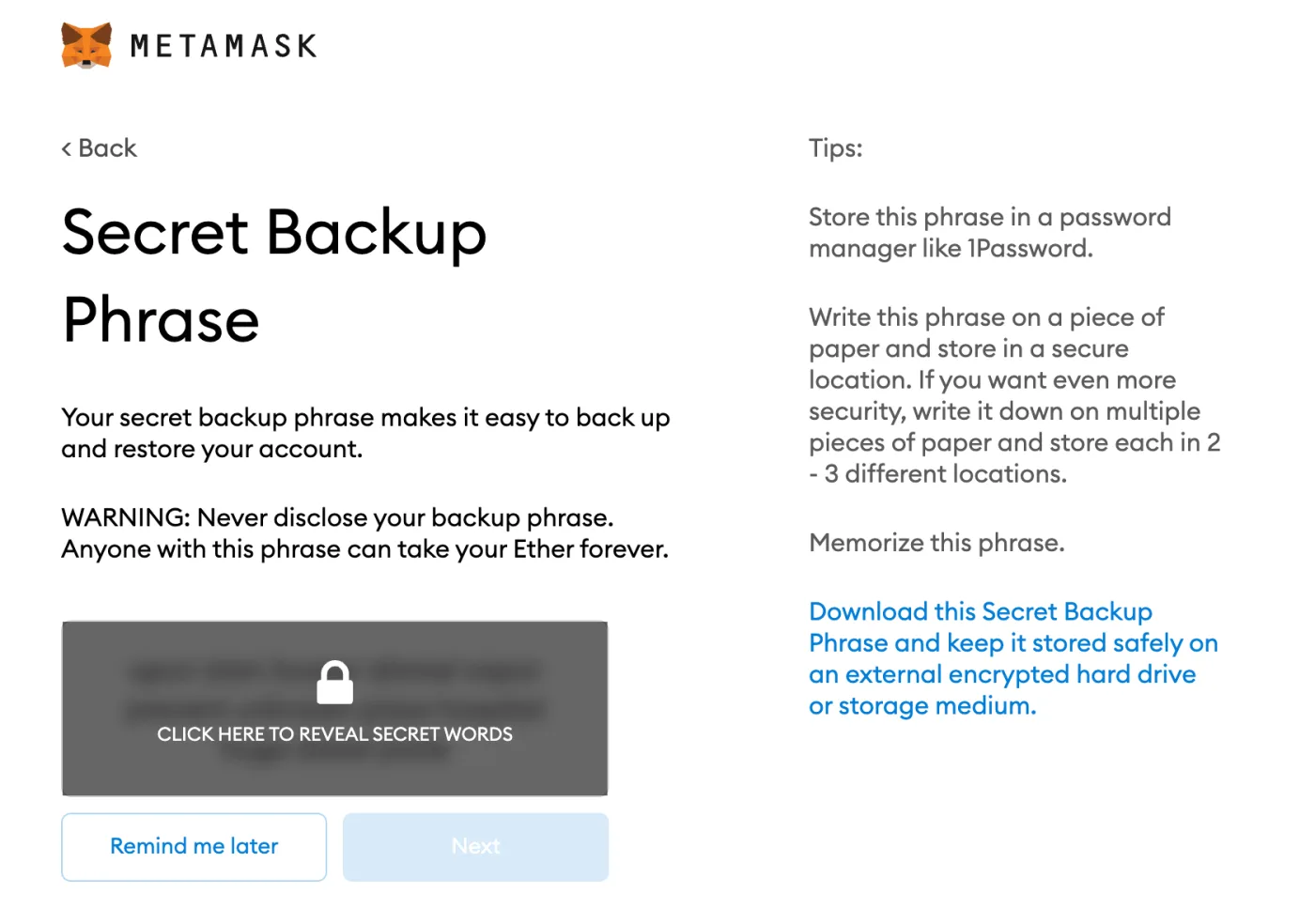
8lends, like any legitimate platform, never requests your seed phrase. Any request for the seed phrase under the guise of support is fraud.
Step 4. Confirm Your Seed Phrase
- MetaMask will ask you to enter the words from the seed phrase in the correct order
- This verifies that you actually wrote it down
- After confirmation, the wallet is ready to use
Step 5. Add the Base Network to Your Wallet
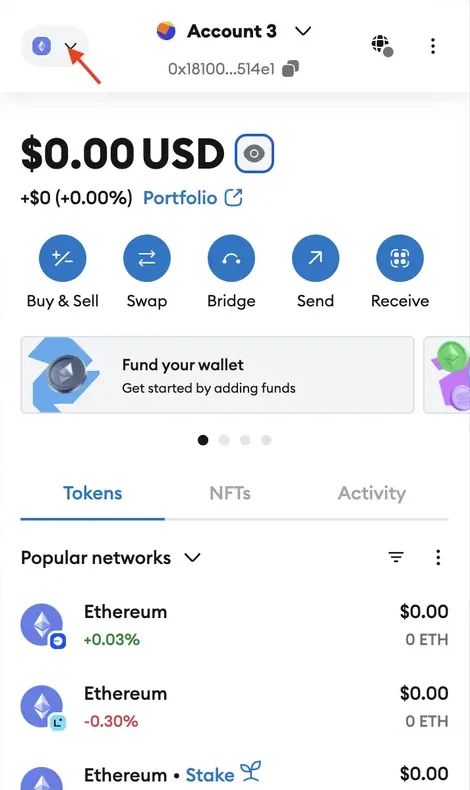
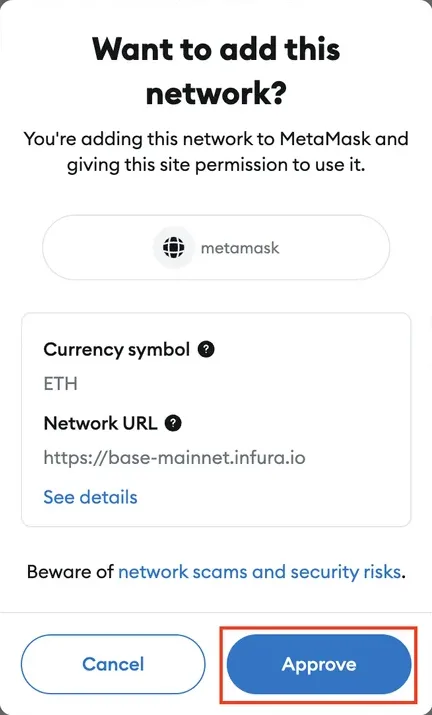
By default, MetaMask works with Ethereum Mainnet. For 8lends you need the Base network — a Layer 2 by Coinbase.
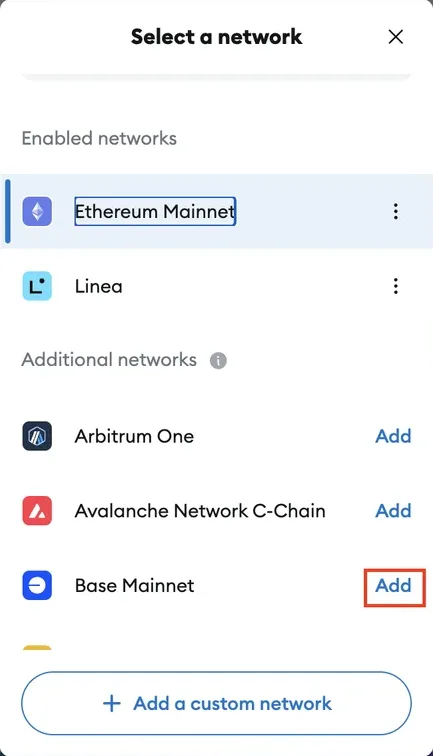
Method A — via MetaMask (recommended):
- Click the network selector at the top of the wallet
- Select Add Network
- Find Base in the list of popular networks or Add a network manually
Method B — via chainlist.org:
- Open chainlist.org
- Find Base and click Add to MetaMask — the parameters will be filled in automatically
Method C — manual parameter entry:
| Parameter | Value |
|---|---|
| Network Name | Base |
| New RPC URL | https://mainnet.base.org |
| Chain ID | 8453 |
| Currency Symbol | ETH |
| Block Explorer URL | https://basescan.org |
In Trust Wallet and Coinbase Wallet, the Base network is often already added automatically.
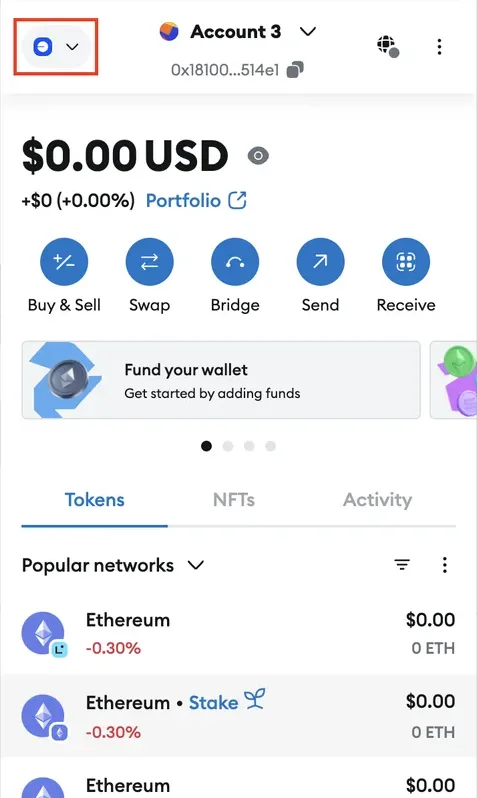
Step 6. Add the USDC Token (Optional)
USDC on Base sometimes does not appear automatically — you need to import it manually:
- In MetaMask, switch to the Base network
- Click Import tokens
- Enter the USDC contract address on Base: 0x833589fCD6eDb6E08f4c7C32D4f71b54bdA02913
- USDC will appear in the token list
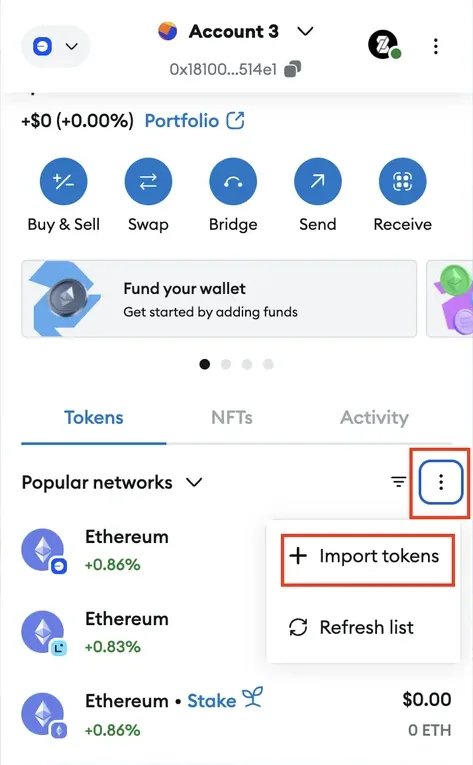
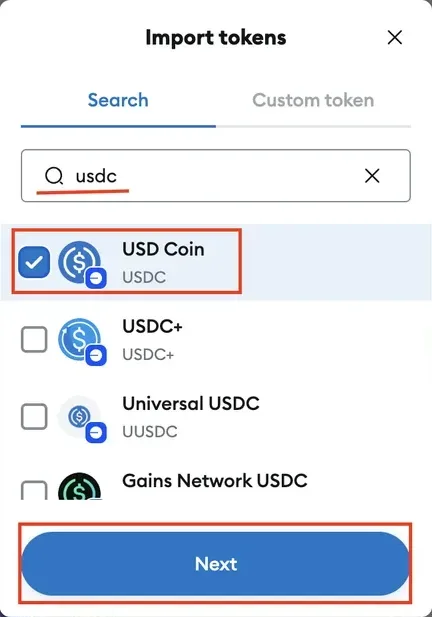
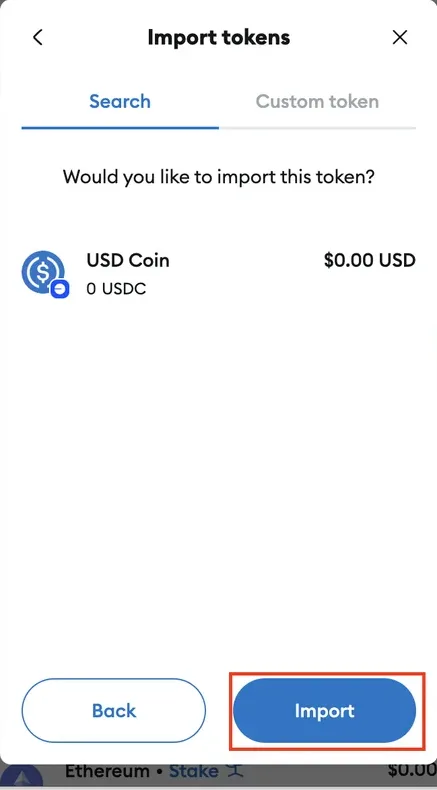
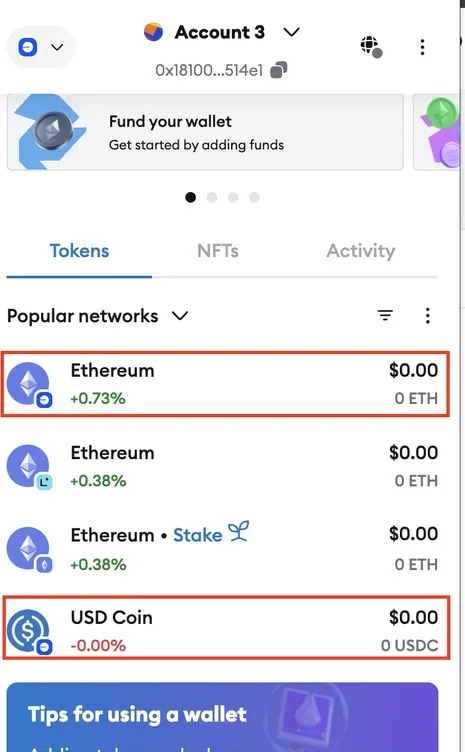
After importing, the USDC balance will display in the wallet. This is not buying USDC — it is just a display setting. To get a balance, you need to buy USDC.
Step 7. Record Your Wallet Address
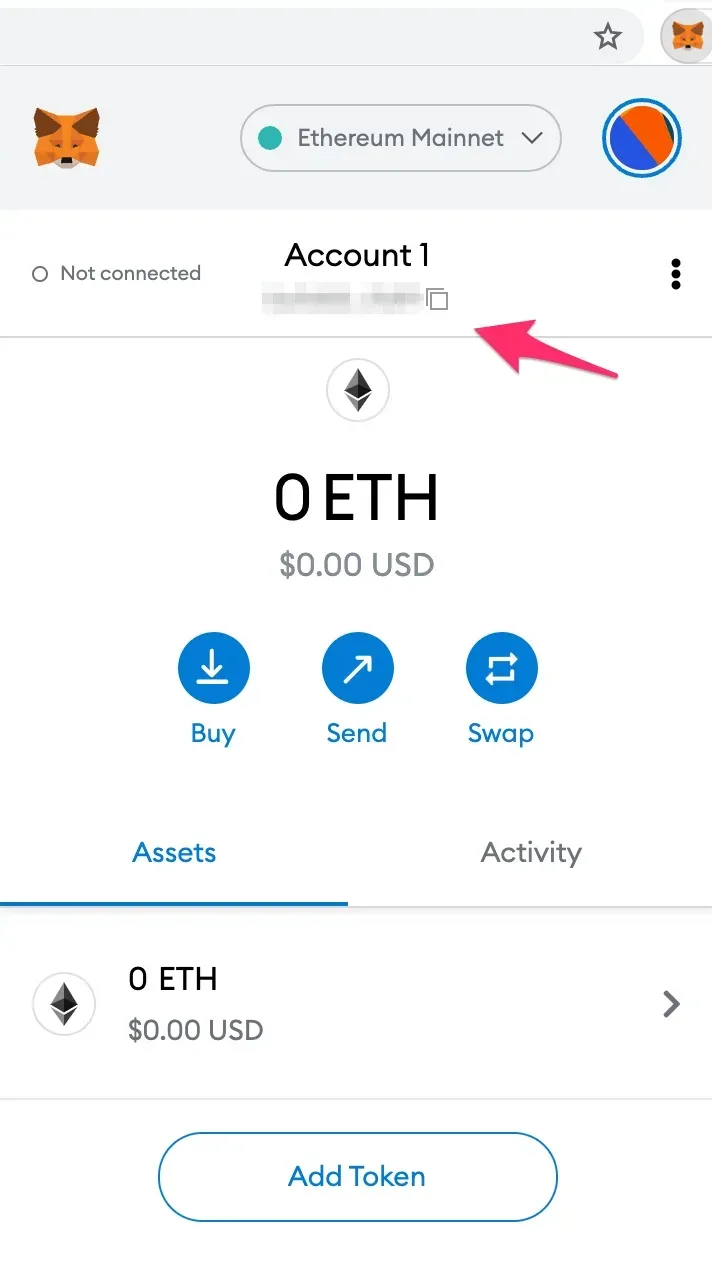
After creation, the wallet has a unique address on the blockchain — it starts with 0x... and consists of 42 characters.
- This address is your identity in Web3
- The same address works on Base, Ethereum, Arbitrum, and other EVM networks
- You can safely share it — it is public information (like a bank account number for receiving funds)
- You must not share your seed phrase or private key
The address can be copied with a single click in the wallet.
Wallet Security — the Main Thing
- Keep the seed phrase only on paper, not in the cloud, not in files, and not in Telegram.
- The unlock password is separate device protection, not to be confused with the seed phrase
- 8lends never requests your seed phrase — any such request is a scam.
- A hardware wallet for large sums (Ledger / Trezor)
- Two-factor authentication on the device where the wallet is installed
- Update the wallet regularly — for security
- Anti-phishing: always check the URL of the websites you connect to
More about scam protection
If Something Goes Wrong
| Problem | What to Do |
|---|---|
| Forgot your MetaMask password | Recover via the seed phrase — the password is local protection, the seed phrase is the wallet itself |
| Lost access to your phone/computer | Install the wallet on a new device, recover via the seed phrase |
| Lost both the seed phrase and password | Access to the funds cannot be recovered — this is a basic property of Web3 |
| The Base network doesn't appear in the list | Add it manually using the parameters above or via chainlist.org |
| Don't see USDC after a deposit | Import the USDC token by its contract address (see Step 6) |
| Don't see 8LNDS in the wallet | Import the 8LNDS token at address 0x55f9c8992fc4abce5aca585bf8f18284a2379d4c |
| A transaction is "stuck" | Wait a few minutes, and if needed, speed it up via Speed Up in MetaMask |
| The wallet was hacked | Create a new one, transfer the remaining funds, never use the old one again |
Frequently Asked Questions
Which wallet is best for a beginner? For desktop — MetaMask (the largest base of learning materials, direct integration with 8lends). For smartphone — Trust Wallet or mobile MetaMask. The main thing is that the wallet must support EVM networks.
What is a seed phrase and why can't you lose it? The seed phrase (12 or 24 words) is full access to the wallet. With it you can restore the wallet on any device. Without it, if the device is lost, the funds are lost forever. It is not an app password — it is the wallet itself in the form of words.
Can I use a Ledger or Trezor hardware wallet? Yes, it is recommended for large sums. A hardware wallet stores the private key isolated from the computer, which protects you even if your computer is infected by a virus. It connects to 8lends via MetaMask (Ledger as provider) or directly via WalletConnect.
Can I have multiple wallets and switch between them? Yes. In MetaMask you can have multiple accounts within one wallet (Add account) or import several different wallets. On 8lends, one main address is connected — to change the connected wallet, see How to Change or Add a Wallet to Your Account, the section on changing wallets.
What if I created a wallet but forgot to write down the seed phrase? If the wallet is still open and you have access — find the seed phrase in the settings (Settings → Security & Privacy → Reveal Secret Recovery Phrase). Write it down and save it immediately. If the wallet is closed and you have forgotten the password, recovery is impossible.
Can I use MetaMask on several devices at the same time? Yes. Install the wallet on another device and recover it via the same seed phrase. It will be the same wallet, synchronized via the blockchain (not through MetaMask servers).
How much ETH do I need to keep in the wallet for gas? For an external wallet — a minimum of $2–5 in ETH on the Base network. That is enough for dozens of transactions. On Base, fees are very low — a few cents per operation. If you use the built-in 8lends wallet (sign-in with email or Google), network fees are covered by 8lends and you do not need ETH. More details
Where is it safer to store large sums — in a hot or cold wallet? For large sums — a cold (hardware) wallet, Ledger / Trezor. The private key is stored in an isolated device and never leaves it when signing transactions. This protects you even if your computer is compromised. Hot wallets (MetaMask, Trust Wallet) are more convenient for everyday use.
What does "non-custodial" mean? The platform has no access to your wallet. 8lends does not have your private key or seed phrase. This means that even if 8lends servers are hacked, your funds remain under your control on-chain. More details
Is it safe to connect a wallet to 8lends? Yes. Connecting via MetaMask / WalletConnect only gives the platform the right to ask you to sign transactions. Every transaction requires your explicit confirmation in the wallet. The platform cannot withdraw funds without your signature. More details
See also:
- How to Start Investing on 8lends: Video Overview
- Registration and Connecting a Wallet on 8lends
- Completing KYC via Sumsub on 8lends
- Data Security and KYC on 8lends: How Data Is Protected
- How to Buy or Swap USDC and ETH on Base for 8lends
- How to Make Your First Investment on 8lends Step by Step
- Glossary: Key 8lends Terms
8lends is a platform operated by CLEARCHAIN CORP, registered with FINTRAC (Canada) as a Money Services Business. Maclear AG (Switzerland), a member of PolyReg SRO under FINMA supervision, acts as Collateral Agent. The security of the wallet and the safekeeping of the seed phrase are the investor's responsibility. Regulatory framework as of September 2026.