
Completing KYC via Sumsub on 8lends
One selfie, one document photo, one liveness check — and every limit on your 8lends investment amount disappears for good.
KYC (Know Your Customer) on 8lends is completed through Sumsub — an international identity provider supporting 220+ countries and 14,000+ document types. The process takes 3–5 minutes and includes a document photo, a selfie with a liveness check, and proof of residential address if needed. KYC is required for investments above $500 — for smaller amounts, an automatic AML check of the wallet is sufficient. Verification is one-time; once completed, it removes all limits on the investment amount.
Video instructions
Completing KYC is shown in the 8lends video guide:https://youtu.be/wABYaut7zVc.
The video shows the actual process in the Sumsub window: which buttons to press, how to upload a document, and how to take a selfie. This text serves as a supplement to the video for clarifying details.
When KYC is required
| Situation | Is KYC required |
|---|---|
| First investment up to $500 | No, an AML check of the wallet is sufficient |
| Total investments over time exceeding $500 | Yes, required before the next investment |
| I want to complete it in advance, without waiting for the limit | Yes, available immediately after connecting the wallet |
| Using KYC from Maclear | Yes — sign in with "Continue with Maclear" and accept your existing KYC in one click, without re-verification |
KYC is enabled once and works for all future investments. After completion, there are no amount limits.
What is Sumsub
Sumsub is an international provider of identity verification and AML compliance. It is used by major exchanges (Binance, OKX, Bybit), banks, and regulated financial platforms. What Sumsub does on behalf of the platform:
- Verifies the authenticity of the document through AI and databases
- Matches the face in the selfie with the face on the document (face match)
- Confirms liveness through a liveness check (protection against photo spoofing)
- Checks data against sanctions lists (PEP, sanctions, watchlists)
- Returns to 8lends only the result: passed / not passed / clarification required
8lends does not store document photos or selfies — all data remains with Sumsub, protected by their infrastructure (GDPR, ISO 27001).
What to prepare
- An identity document — choose one of the following:
- International passport
- Internal passport (for countries where it is the main ID)
- National ID card
- Driver's license (not in all jurisdictions)
- A phone or webcam for the selfie and liveness check
- Good lighting for a quality photo of the document
- A document to confirm your address (may be requested): a utility bill, a bank statement no older than 3 months
Step-by-step instructions
Step 1. Launch KYC from your personal account
- Go to app.8lends.io and connect your wallet
- In your personal account, go to the Profile or Verification section
- Click Start KYC / Complete Verification
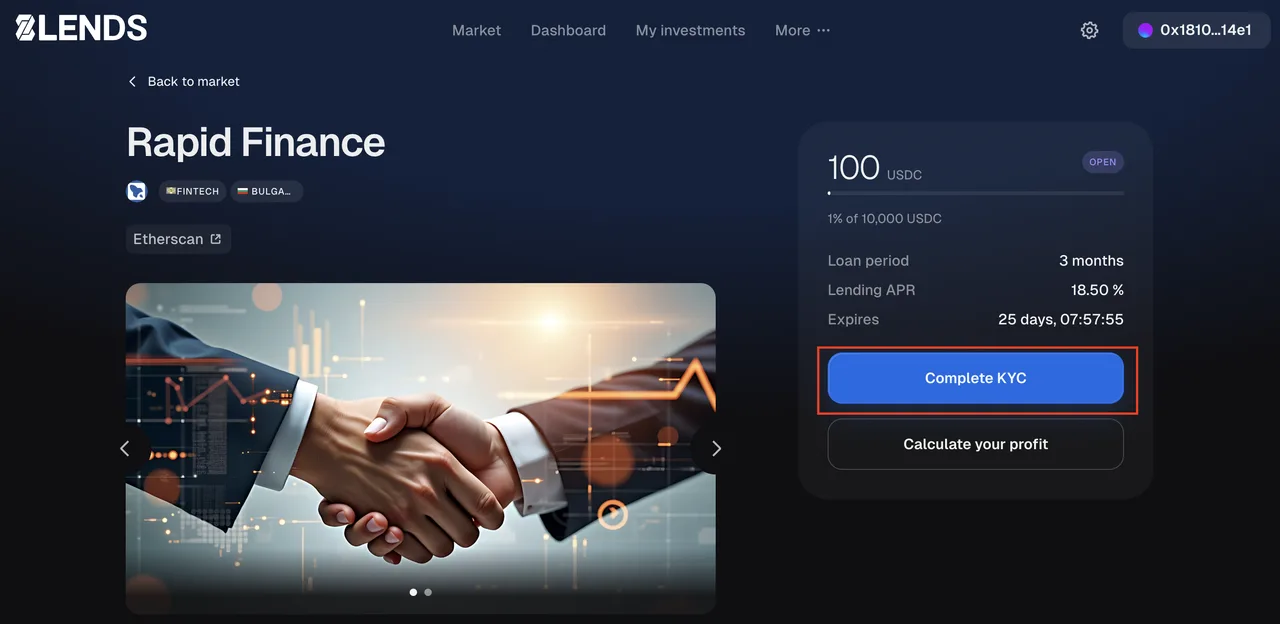
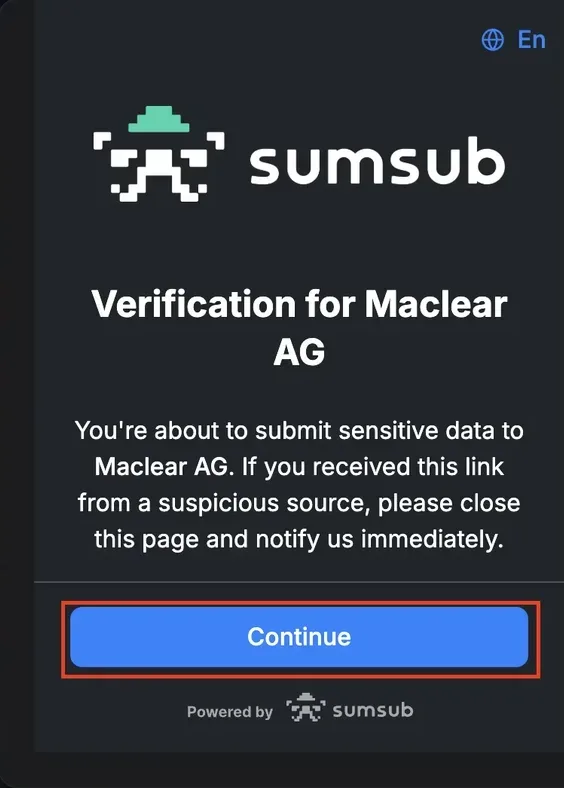
Step 2. Select country and document type
- Sumsub will open in a new window or as an embedded widget
- Select the country of document issuance
- Select the document type (passport / ID card / driver's license)
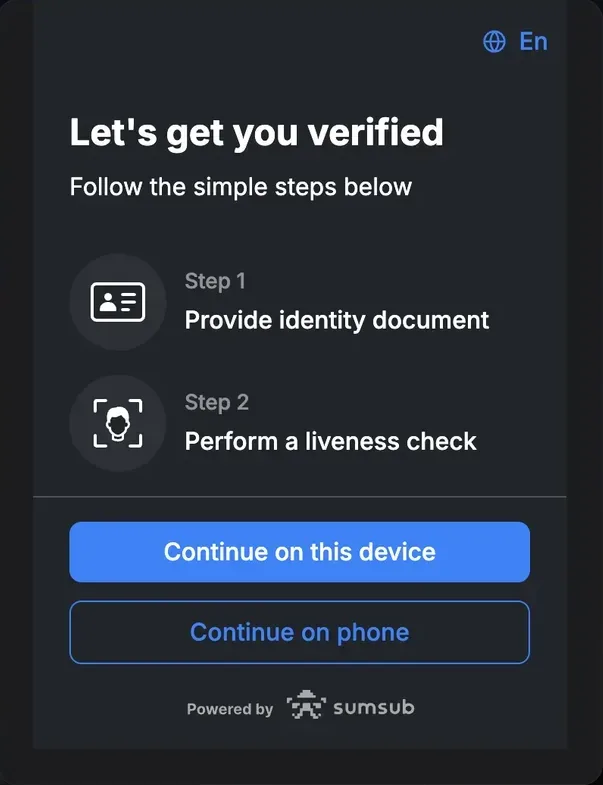
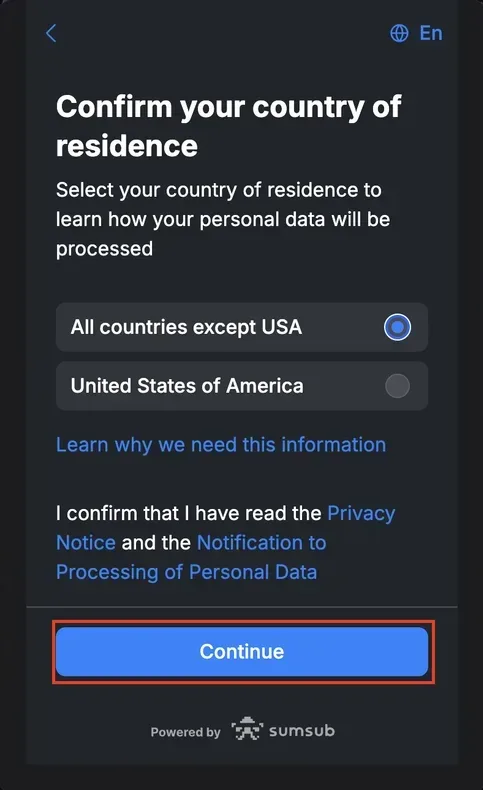
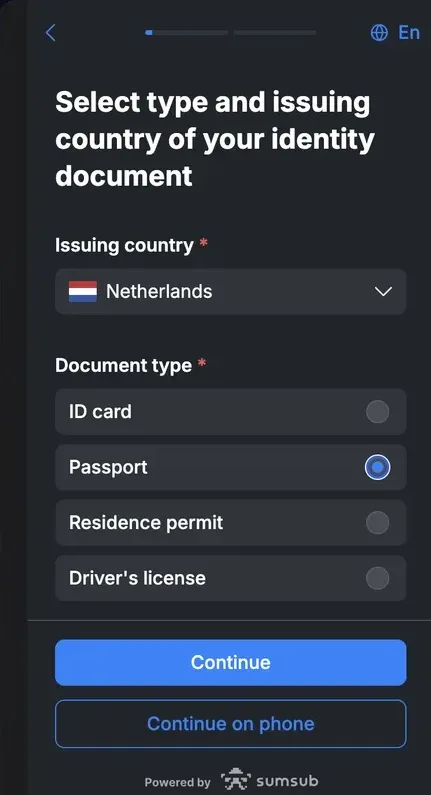
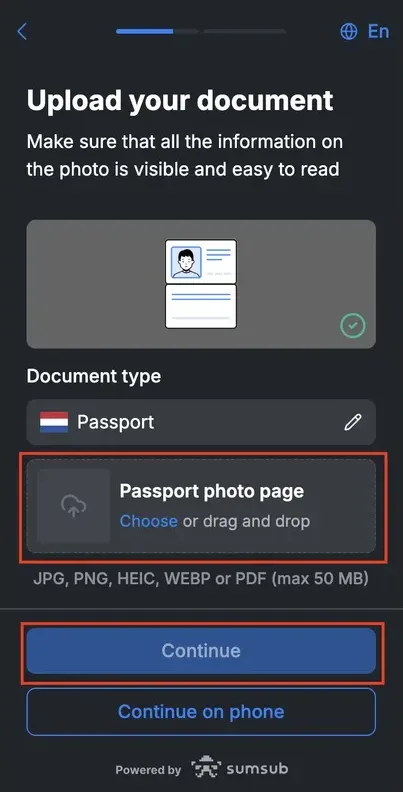
Step 3. Photograph the document
- Take a photo of the front side (for ID cards and licenses — both sides)
- The document must fully fit in the frame, without glare or shadows
- All data must be legible
- Sumsub will check the photo quality; if there are issues, it will ask you to retake it
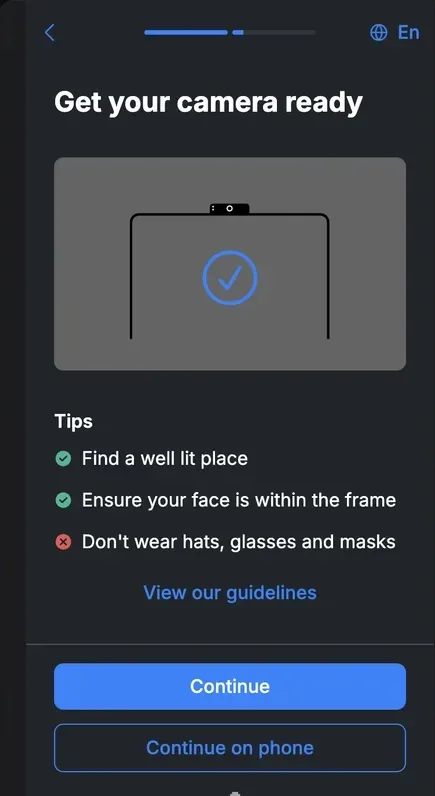
Step 4. Take a selfie and complete the liveness check
- Sumsub will ask you to take a selfie with the front-facing camera
- Then — perform simple movements (turn your head, blink) for the liveness check
- This is needed to confirm that a live person is completing verification, not a photo
Step 5. Wait for the result
- Sumsub sends the data for verification — usually takes from a few seconds to a few minutes
- In complex cases (poor photo quality, manual review required) it may take up to 24 hours
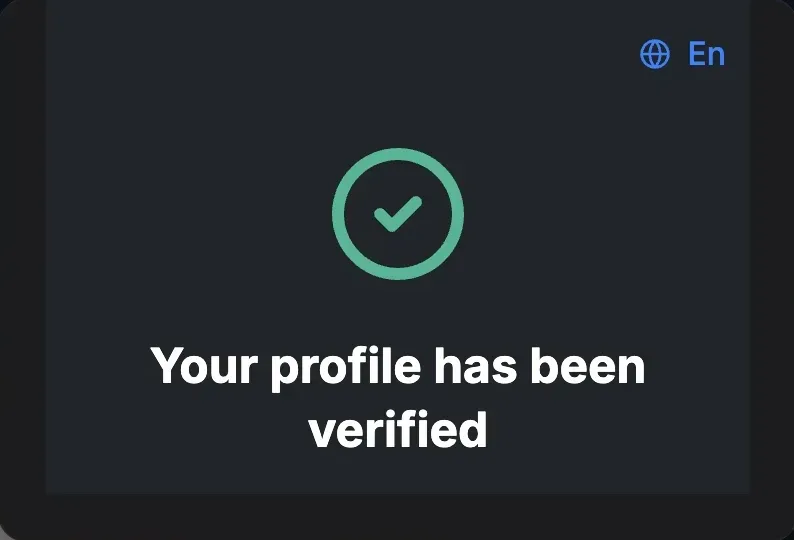
- The result is sent to your email and displayed in your personal account
What happens next
After successful KYC:
- The $500 limit is removed — you can invest any amounts
- The Verified status is shown in your personal account
- Access to all platform features is open (including Secondary Market)
- No need to redo KYC — the status is retained
Supported countries
Sumsub supports 220+ countries and 14,000+ document types. This covers virtually all investors globally, except those in sanctioned jurisdictions:
- North Korea
- Iran
- Syria
- Cuba
- Russia and Belarus (for certain operations — depending on passport and residency)
- Specific regions of Ukraine
- Other jurisdictions under OFAC, UN, EU, HM Treasury sanctions
The full list and exact rules are provided at the KYC stage. If a country is not supported, Sumsub will notify you before the process begins.
If KYC did not pass
| Reason | What to do |
|---|---|
| Poor photo quality | Retake the photo with better lighting and without glare |
| Document not recognized | Check that the document is valid (not expired) |
| Mismatch between the face in the selfie and on the document | Retake the selfie, make sure the face is clearly visible |
| Document from an unsupported country | Use a different document (if available) |
| Manual review required | Wait up to 24 hours |
| Rejection after manual review | Contact support at [email protected] for clarification |
Data security
- Sumsub is a provider with ISO 27001 and GDPR compliance, working with the world's largest exchanges and banks
- Data is stored with Sumsub, not with 8lends — this reduces the risk of a leak on the platform's side
- Data transfer is via TLS encryption
- Retention periods comply with Canadian recordkeeping requirements (PCMLTFA) and the Sumsub privacy policy
- Right to deletion — can be requested through 8lends support ([email protected]); KYC/AML records are retained for at least 5 years after the end of the relationship, as required by the PCMLTFA
Frequently asked questions
Can you really invest without KYC? Yes, up to $500 in total. The AML check of the wallet remains mandatory — this is an automatic process. More details
Why Sumsub specifically and not another provider? Sumsub is one of the market leaders in identity verification, used by the largest exchanges (Binance, OKX, Bybit) and regulated financial platforms. It supports 220+ countries and 14,000+ documents, making it one of the broadest providers in terms of coverage. This is critical for a global platform like 8lends.
How long does KYC take on average? The completion process itself takes 3–5 minutes. Verification usually takes from a few seconds to a couple of minutes (automatic via AI). In complex cases — up to 24 hours (manual review by an analyst).
Where does my data go after KYC? To Sumsub — the verification provider. 8lends receives only the result (passed / rejected / pending). Sumsub stores the data according to regulatory requirements and its privacy policy. The platform does not store document photos or selfies.
Can I complete KYC in advance, before topping up USDC? Yes. KYC can be completed immediately after connecting your wallet, without waiting to top up your balance or approach the $500 limit. After completion, you'll be ready right away to invest any amounts.
I already have KYC with Maclear — do I need to do it again? No. Sign in with "Continue with Maclear" and accept your existing Maclear KYC in one click — without re-verification.
What if I don't have a passport, only a driver's license? In most countries, a driver's license is accepted as an ID document for KYC. At the document selection stage, Sumsub will show which documents are suitable for your country.
Can I complete KYC on behalf of another person? No. The liveness check (blink, turn your head) rules out this possibility. KYC must be completed by the investor themselves. Transferring an account or completing it for another person is a violation of the T&C.
What if the data in my passport is outdated (for example, my last name has changed)? Use a document with current data. If you only have an outdated one on hand — update the document with the government authority before KYC. A mismatch between the document data and reality may lead to rejection.
I selected the wrong country — what should I do? Contact 8lends support at [email protected]. KYC can be reset and completed again with the correct country.
See also:
8lends is a platform operated by CLEARCHAIN CORP, registered with FINTRAC (Canada) as a Money Services Business. KYC via Sumsub complies with the customer identification requirements of the PCMLTFA (Canada). Maclear AG (Switzerland), a member of PolyReg SRO under the supervision of FINMA, acts as Collateral Agent. Regulatory framework as of September 2026.